
Inflatable Golf Simulator Enclosure 12x16: Buying Guide + 7-Step Setup
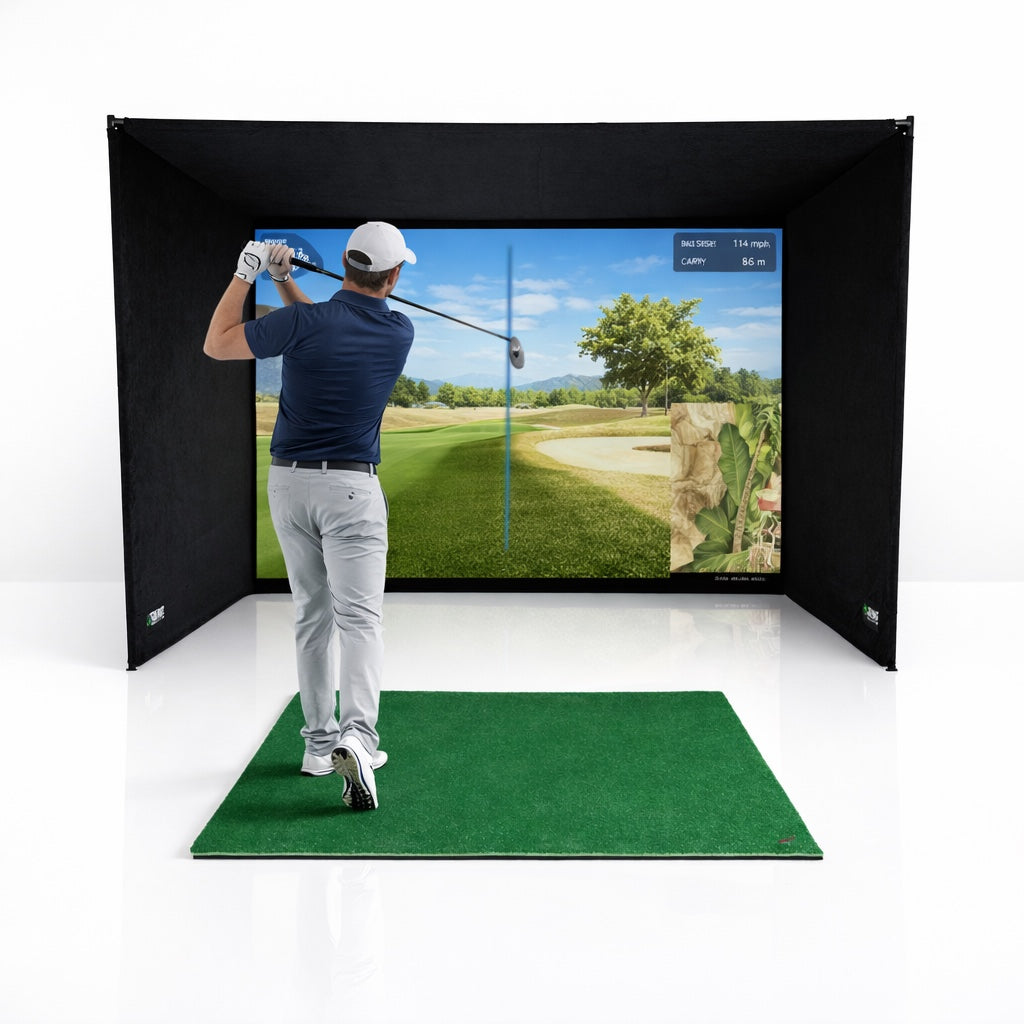
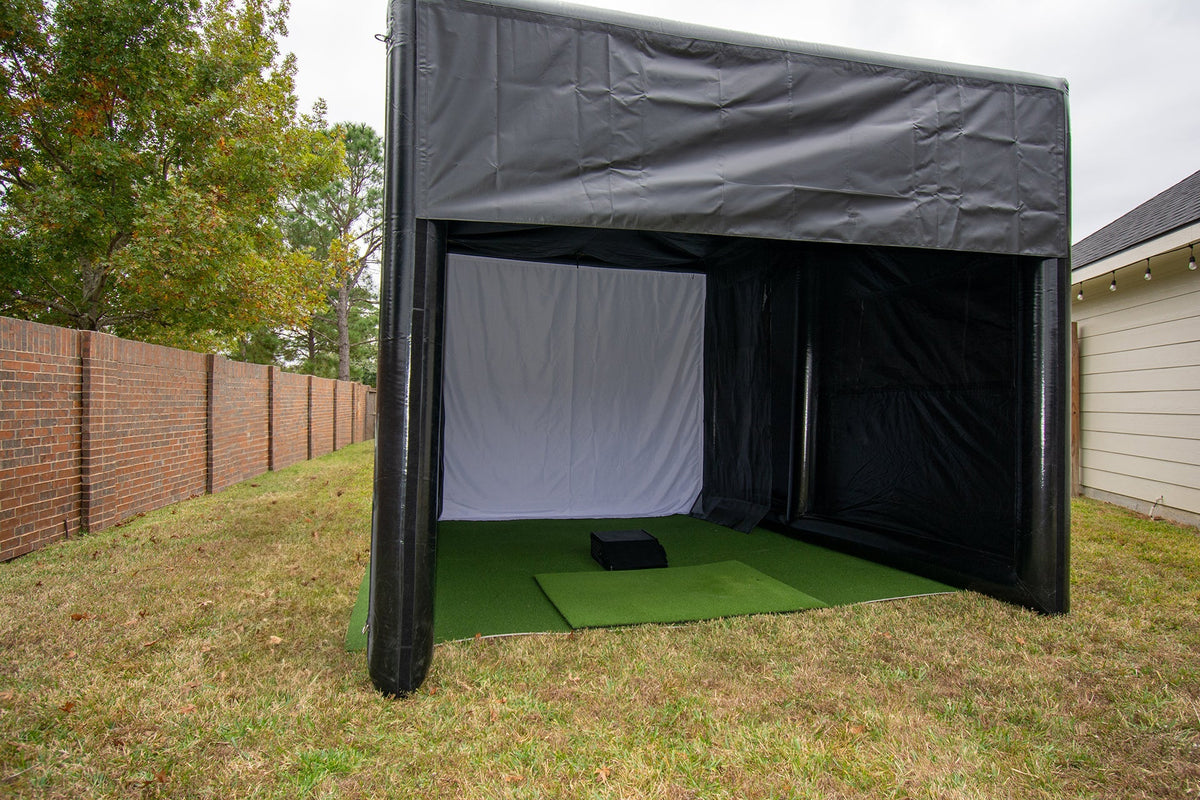
An inflatable golf simulator enclosure gives you a full simulator bay that inflates in about 5 minutes and packs away when you are done. The 12x16 model at Prime Athletic Systems starts at $2,999 and includes the inflatable frame, blackout cover, impact screen, side safety netting, rear impact net and an 800-watt air pump. To turn it into a working simulator you still need four things: a hitting mat, a launch monitor, a projector and a computer or tablet running simulator software. This guide covers which options to choose, what it really costs, and how to set up the whole simulator step by step.
In this article
- Who is a 12x16 inflatable enclosure for?
- What comes in the box (and what doesn't)?
- Which roof, sun visor and front curtain should you pick?
- How much space do you need?
- What does a complete setup cost?
- How do you set up the whole simulator? (7 steps)
- Common setup mistakes to avoid
- FAQ

Who is a 12x16 inflatable golf simulator enclosure for?
A rigid steel-frame enclosure is best when the simulator stays in one room for years. An inflatable makes more sense when setup time, portability or a temporary space matter more than permanence. It suits:
- Mobile golf businesses running simulators at corporate days, weddings, fundraisers and trade shows.
- Golf clubs and event organisers who want a closest-to-the-pin or long-drive bay that goes up on the day.
- Homeowners with a large garage, barn, gym or yard who don't want a permanent build.
- Coaches and academies who teach in more than one location.
It is designed for one golfer inside at a time and an offset hitting position (more on that in the setup section). If you want a two-person bay or a fixed home theatre style build, a rigid enclosure is the better fit.
What comes with the enclosure, and what do you buy separately?
| Included | Sold separately |
|---|---|
| Commercial-grade PVC tarpaulin inflatable frame | Hitting mat |
| Blackout cover with water-resistant coating (one piece with the frame) | Artificial turf for the floor |
| Impact screen, approx. 122 in wide x 110 in high, with heavy-duty Velcro | Projector |
| Integrated interior side-wall safety netting | Launch monitor |
| Rear impact net secured to the enclosure | Simulator software and a PC or tablet |
| 800-watt electric air pump | Sandbags or stakes for anchoring |
| 12 exterior D-rings, 3 interior D-rings, 2 side windows | Extension cords, lighting, ball tray |
Two design details are worth knowing. The forward-shifted impact screen removes the lower front crossmember, so there is no bar at the bottom of the screen for a low shot to clip and bounce back. And the rear buffer zone behind the screen adds space between the screen and the rear net, which also helps block light.

Commercial-grade, 5-minute setup, screen, nets and pump included. Flat, peak or arch roof.
Which roof style, sun visor and front curtain should you choose?
There are three choices on the product page, giving 12 combinations from $2,999 to $4,246.
Roof style
- Flat roof (from $2,999): the lowest price and the simplest shape. A good pick for indoor use in a gym, warehouse or barn where rain is not a factor.
- Peak roof (from $3,498): the pitched shape helps rain run off instead of pooling, so it is the practical choice if you will often set up outdoors.
- Arch roof (from $3,748): the most eye-catching profile and also sheds water well. Popular with mobile businesses that want the bay to look premium at events.
Sun visor (+$199)
Marked as recommended. A visor shades the open front of the enclosure, which cuts the daylight falling on the impact screen. Projected images wash out fast in daylight, so if you will ever play outdoors or near open roller doors, add it.
Front curtain (+$299 to $300)
Also marked as recommended. It closes off the front of the enclosure, which helps with light control and keeps weather and debris out of the bay when it is not in use. For outdoor events and mobile businesses it is worth having.
| Roof | Base | + Visor | + Curtain | + Both |
|---|---|---|---|---|
| Flat | $2,999 | $3,198 | $3,299 | $3,497 |
| Peak | $3,498 | $3,697 | $3,797 | $3,996 |
| Arch | $3,748 | $3,947 | $4,047 | $4,246 |
Our quick recommendation: indoor only, choose Flat with no add-ons. Mostly outdoor or mobile, choose Peak or Arch with both the visor and curtain.
How much space do you need for a 12x16 inflatable enclosure?
The enclosure measures 12 ft wide x 16 ft deep x 10 ft high on the outside. Plan for more than that:
- Floor area: allow about 2 to 3 ft clear on every side for walking around, reaching the D-rings and anchors, and placing the pump. That means a clear area of roughly 16 x 20 ft.
- Indoor height: the enclosure itself stands 10 ft tall, so indoors you need a ceiling comfortably above 10 ft, with no low beams, lights or garage door tracks in the way. Most standard home garages (8 to 9 ft) are too low. Gyms, warehouses, barns and event halls usually work.
- Outdoors: pick flat, level ground such as lawn, a patio or a car park, with a power outlet in reach and away from overhead cables and trees.
- Power: you need outlets for the 800-watt pump, the projector and the computer. Put the pump on its own circuit if you can.
Not sure your room will work? Our guide on how much space you actually need for a golf simulator enclosure shows how to measure properly.

What does a complete inflatable golf simulator setup cost?
The enclosure is usually the biggest single purchase after the launch monitor. Here is a realistic budget for a complete bay:
| Component | Typical spend |
|---|---|
| 12x16 inflatable enclosure | $2,999 to $4,246 |
| Hitting mat (e.g. Big Moss R/L Ready SIM Kit) | $1,049 to $1,500 |
| Short-throw projector | $800 to $2,500 |
| Projector stand | $250 |
| Launch monitor | $600 to $20,000+ |
| PC or tablet and simulator software | $500 to $2,000 |
| Sandbags, extension leads, ball tray | $150 to $400 |
A capable portable bay typically lands between $7,000 and $12,000, with the launch monitor being the biggest swing factor. Prices for third-party items are indicative ranges, so check current pricing before you budget.
How do you set up the whole simulator? (7 steps)
What you'll need
- The enclosure and its 800-watt pump
- Sandbags (outdoors and on hard floors) or ground stakes (on grass)
- Hitting mat, and turf for the rest of the floor if you want a finished look
- Launch monitor, projector, projector stand, PC or tablet, HDMI cable
- Heavy-duty extension leads and a second person for the first setup
Step 1: Prepare and protect the ground
Sweep the area clear of stones, glass and anything sharp that could puncture the PVC. On rough ground, lay a tarp or groundsheet first. Unroll the enclosure flat with the front opening facing where you want the golfer to stand and the pump inlet facing your power source.
Step 2: Inflate
Connect the 800-watt pump to the inflation tube, check any zips or deflation ports are closed, and switch on. The frame and cover are one piece, so the whole structure rises together in about 5 minutes. Walk around as it inflates and straighten any folds so the walls stand square. Keep the pump connected and in a dry spot, and follow the included manual on whether it should run continuously during use.
Step 3: Anchor it before anyone swings
Secure all 12 exterior D-rings. Use stakes on grass, or sandbags on concrete, tarmac and indoor floors. Outdoors, never skip this: an inflatable can move in a gust of wind. Do not set up or keep playing in strong winds.
Step 4: Hang and tension the impact screen
Attach the impact screen with its heavy-duty Velcro, starting at the top centre and working out to the corners so it hangs flat and evenly tensioned. A flat, even screen gives a sharper image and more predictable ball behaviour. Check the rear impact net is secure behind it.

Step 5: Lay the floor and position the hitting mat
Lay turf across the floor if you are using it, then place your hitting mat. The enclosure is designed for an offset hitting position, meaning the golfer stands slightly to one side of the screen's centre line rather than dead centre. Place the mat so a right-hander's ball sits off-centre with their back to the nearer side wall (mirror this for left-handers). A R/L Ready mat lets you flip between right and left-handed golfers without moving everything, which is ideal at events. As a guide, leave around 8 to 10 ft from the ball to the screen, then confirm against your launch monitor's requirements in Step 6.

Righty and lefty ready on a 5/8 in foam base that is kinder to wrists. One mat for every golfer at your event.
Step 6: Place the launch monitor
Placement depends on the technology:
- Camera-based (photometric) units sit beside the ball, level with it. They need very little depth, which makes them the easiest match for a compact enclosure.
- Radar units usually sit behind the golfer and need a set distance behind the ball plus enough ball flight before the screen to read the shot.
Before you buy, check your launch monitor's minimum distance behind the ball and ball-to-screen distance against the usable interior depth of the 16 ft enclosure. Line the unit up square to the centre of the screen, not to the walls, so your shots read on target.
Step 7: Set up the projector and calibrate
The impact screen is about 122 in (10.2 ft) wide. Your projector's throw distance equals its throw ratio multiplied by that width:
- 0.5 throw ratio (ultra short throw style): about 5 ft from the screen
- 0.8 throw ratio: about 8 ft
- 1.2 throw ratio (standard): about 12 ft, which usually puts it behind the golfer and in the path of the swing or shadow
That is why a short-throw projector is the usual choice. With no ceiling to mount to, place it on a sturdy floor projector stand set behind and to the side of the golfer, high enough that the golfer's head and club do not cast a shadow. Then connect the projector to your PC, set the image to fill the screen (use keystone and zoom sparingly to keep it sharp), open your simulator software, and run the launch monitor's calibration or alignment routine. Hit 10 to 15 easy wedge shots to confirm shots register and the image lines up.

Adjustable and portable, with no ceiling or drilling needed. Built for setups that move.
Finishing touches
Use the 3 interior D-rings to hang lighting over the hitting area (light the golfer, not the screen). Keep balls tidy with a ball tray, and run all cables along the walls and away from the swing path. For more ideas, see 5 golf simulator add-ons most people forget to buy.

Keeps balls at hand and off the floor, so nobody steps on one mid-swing.
What are the most common setup mistakes?
- Skipping the anchors. All 12 D-rings, every time, especially outdoors.
- Measuring only the footprint. Indoors, the 10 ft height is what rules out most garages.
- Buying a standard-throw projector. It ends up behind the golfer, in the shadow and swing zone.
- Hitting from dead centre. The enclosure is built for an offset hitting position.
- Letting two people inside. One golfer in the enclosure at a time, with spectators watching through the side windows.
- Playing in daylight without the visor or curtain. The image washes out and the experience suffers.
Frequently asked questions
How long does an inflatable golf simulator enclosure take to set up?
The 12x16 enclosure inflates in about 5 minutes. Allow 30 to 60 minutes for the full simulator, including anchoring, the mat, launch monitor, projector and calibration. It gets faster once you have a routine.
Can you use an inflatable golf enclosure outdoors?
Yes. It is designed for indoor or outdoor use, with a water-resistant blackout cover. Outdoors, anchor every D-ring, choose a peak or arch roof to shed rain, add the sun visor for screen visibility, and do not use it in strong winds.
Will a 12x16 inflatable enclosure fit in my garage?
Probably not in a standard home garage. The enclosure is 10 ft high, so you need a ceiling comfortably above that, plus a clear floor area of roughly 16 x 20 ft. Large garages, barns, gyms and warehouses are a better fit.
What projector do I need for an inflatable golf simulator?
A short-throw projector is best. With a screen about 10 ft wide, a 0.5 throw ratio projector sits about 5 ft back, keeping it clear of the golfer. Mount it on a floor stand, since there is no ceiling to attach to.
Does the enclosure include a hitting mat or launch monitor?
No. It includes the frame, blackout cover, impact screen, safety netting, rear impact net and 800-watt pump. The hitting mat, turf, projector, launch monitor, sandbags and other accessories are sold separately.
Is an inflatable enclosure good for a mobile golf simulator business?
It is one of the best options for it. The 5-minute setup, one-piece frame and cover, and compact 12x16 footprint mean you can set up and pack down at an event far faster than with a rigid steel frame.
Build your portable simulator bay
Choose your roof, visor and curtain, or call our experts on 307-429-2280 to plan the full setup.
Shop the 12x16 enclosure →Questions? Email support@primeathleticsystems.com, Monday to Friday, 9AM to 5PM PST.